Enterprise Deployment & Policy
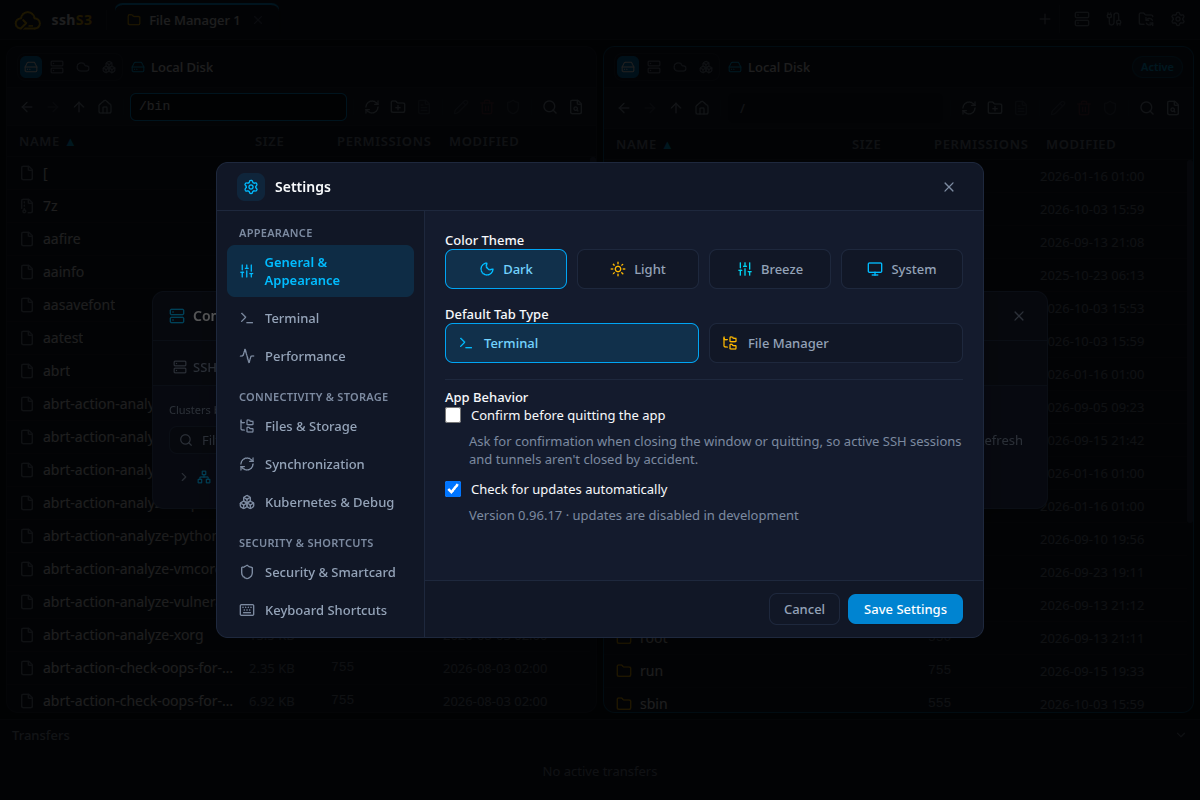
Administrators can set sshs3 options once per machine and lock them for users, using Group Policy (the Windows registry) or a root-owned policy.conf on Linux and macOS. A locked setting shows the policy value, cannot be changed in Settings, and is never written to the user's own settings, so removing the policy gives the user their own choice back.
1. How Policy Is Read
| Windows | Linux | macOS | |
|---|---|---|---|
| Location | HKLM\SOFTWARE\Policies\sshs3 | /etc/sshs3/policy.conf | /Library/Application Support/sshs3/policy.conf |
| Written by | Group Policy (ADMX), Intune, reg add | root (config management, package) | root |
| Trusted when | Always (only administrators can write HKLM) | The file and its folder are owned by root and not writable by group or others, and neither is a symbolic link | Same as Linux |
- Policy is read once at startup. Restart sshs3 after changing it.
- Per-user locations (
HKCU, environment variables, files in the user's home) are deliberately ignored, because the user could change them. - If a policy exists but cannot be trusted or read (for example a
policy.confthat is writable by group), nothing from it is applied. Settings then shows a warning, and the log has the reason. - A value that is invalid (wrong type or not an allowed choice) is ignored with a warning; the other values still apply.
Policy is a configuration control. It stops users from changing a setting in the app or through files they own; it is not a defense against someone who can already run arbitrary code as an administrator on the machine.
On Windows the policy is read from HKLM only. A policy.conf is not read on Windows, because a standard user can create files under %PROGRAMDATA%.
2. Available Policies
The registry value name is the policy name with a capital first letter (autoCheckUpdates is AutoCheckUpdates); in policy.conf the names are not case-sensitive. Use REG_DWORD 1 / 0 for true / false and REG_SZ for text. Text values in the registry must be plain ASCII (a value with other characters is ignored with a warning); use policy.conf on Linux and macOS for anything else.
| Policy name | Type | Allowed values | Effect |
|---|---|---|---|
autoCheckUpdates | boolean | true, false | false stops all update traffic, including Check now. Same effect as SSHS3_DISABLE_UPDATES=1, which still works. true keeps the check on and locks the option. |
smartcardAuthMode | text | always-prompt, agent-per-session, agent-global | Smartcard / FIDO2 PIN caching mode. |
localTerminalAgentMode | text | auto, system, app-managed, disabled | Which SSH agent local shell tabs inherit. |
x11ServerMode | text | manual, auto, always | Windows: when the bundled X server starts. |
x11ServerArgs | text | up to 1024 characters, no control characters | Windows: X server arguments. |
enableOpenShift | boolean | true, false | OpenShift login and the oc shim. |
gitKeyFetch | boolean | true, false | false blocks fetching public keys from GitHub, GitLab or a custom Git host. |
dotfileGitImport | boolean | true, false | false blocks importing dotfiles from a Git repository. |
A setting that is not in the policy stays under the user's control.
3. Installing on Windows
Windows has two installers with different update paths:
Installer (sshs3-Setup-<version>.exe) | MSI (sshs3-<version>.msi) | |
|---|---|---|
| Scope | Per user | Per machine, 64-bit, in C:\Program Files\sshs3; needs administrator rights |
| Meant for | Individuals and developers | SCCM, Intune or Group Policy software deployment |
| New versions | Download them yourself for now; in-app updates need a code-signed build | Deploy a newer MSI; it replaces the installed version, and an older MSI is refused |
| In-app updater | Not available yet (see left) | Never runs. sshs3 recognises the copy and says so under Settings > General |
Do not install both on the same machine: they are separate copies.
msiexec /i sshs3-<version>.msi /qn /l*v "%TEMP%\sshs3-install.log"
msiexec /x sshs3-<version>.msi /qn
An exit code of 0 (or 3010, restart needed) means success. Set the policy before the first start if you want it to apply from the beginning.
The MSI does not add the Windows Firewall rule that the interactive installer creates for the bundled X server. The rule is a precaution only: the X server is reached over the loopback interface.
Windows builds are not code-signed yet, so SmartScreen, AppLocker or another application-control policy may block the installer.
4. Group Policy and the Registry on Windows
Group Policy
The registry values below are verified on Windows. The ADMX/ADML templates are checked by automated tests for structure and consistency, but have not yet been loaded in a Group Policy editor for this release.
Download sshs3-policy-templates-<version>.zip from the release (it also holds policy.conf.example), and copy sshs3.admx and en-US\sshs3.adml from it into C:\Windows\PolicyDefinitions (or your central store). The policies appear under Computer Configuration > Administrative Templates > sshs3. For yes/no policies, Enabled forces the option on and Disabled forces it off; Not configured leaves it to the user.
Without Group Policy
reg add HKLM\SOFTWARE\Policies\sshs3 /v AutoCheckUpdates /t REG_DWORD /d 0 /f
reg add HKLM\SOFTWARE\Policies\sshs3 /v SmartcardAuthMode /t REG_SZ /d always-prompt /f
5. Linux and macOS
# Disable update checks on all machines
autoCheckUpdates = false
smartcardAuthMode = always-prompt
gitKeyFetch = falsesudo install -d -m 0755 -o root -g root /etc/sshs3
sudo install -m 0644 -o root -g root policy.conf /etc/sshs3/policy.confA commented example with every option is policy.conf.example in sshs3-policy-templates-<version>.zip on the release page (and packaging/policy.conf.example in the repository); copy it and remove the # in front of the lines you want to enforce.
| Rule | Detail |
|---|---|
| Lines | One name = value per line. Blank lines are ignored. |
| Comments | A line that starts with # or ;. There are no comments after a value, so # and ; are allowed inside a value. |
| Values | The rest of the line, trimmed; no quotes or escapes. Yes/no values are exactly true, false, 1 or 0. |
| Names | Not case-sensitive, so the registry names such as AutoCheckUpdates work too. |
| Repeats | If a name appears twice, the first value is used and a warning is shown. |
| Section | An optional [sshs3] line at the top is accepted; other sections are ignored with a warning. |
On macOS use /Library/Application Support/sshs3/ instead of /etc/sshs3/.
6. What Users See
| Situation | Behaviour |
|---|---|
| A setting is locked | Its control is read-only with the note Managed by your organization; the note can be reached with Tab. |
| A feature is blocked | Its button (Fetch keys, From Git) is disabled with the note Disabled by your administrator.; the main process refuses the action as well. |
| The policy could not be applied | A warning at the top of Settings explains why. |
| Profile sync | Locked values are neither uploaded nor replaced by a synced copy. Other machines without the policy keep their own value. |
Technical Internals: One Table for Every Source
POLICY_DEFINITIONS (src/shared/types/policy.ts) lists each policy once; the parser, the registry reader, the settings UI and a test that checks the ADMX/ADML templates all use it. SettingsStore.getSettings() returns the settings with the policy applied, so every part of the app sees the enforced value, while profile sync reads the stored values only. This is what keeps a managed value from reaching settings.json or other machines.
7. Troubleshooting & Diagnostics
| Symptom | Probable Root Cause | Corrective Action |
|---|---|---|
| Policy has no effect | sshs3 was not restarted, or the value name or type is wrong. | Restart the app; check the registry value name against section 2 and use REG_DWORD for yes/no. |
| Settings warns that the policy could not be read | policy.conf or its folder is not owned by root, or is writable by group or others. | Fix the owner and mode as in section 5; the log shows the exact reason. |
| Settings warns about an ignored policy | The value has the wrong type, is not an allowed choice, or is registry text with non-ASCII characters. | Correct the value as in section 2. |
| Settings warns that the key "exists but could not be read" | The registry key denies read access to ordinary users. | Give Users read access to HKLM\SOFTWARE\Policies\sshs3. |
A policy in HKCU or in policy.conf on Windows is ignored | Only HKLM is trusted on Windows. | Set the value under HKLM\SOFTWARE\Policies\sshs3. |
| Group Policy editor shows no sshs3 folder | The templates are missing or the .adml is not in the language folder. | Copy both files to PolicyDefinitions as in section 4. |
msiexec /i … /qn seems to do nothing | The command prompt was not elevated, or application control blocked the package (exit code 1625). | Run it as administrator without /qn once to see any message, and add /l*v <file> for a log; read the exit code with Start-Process msiexec -ArgumentList … -Wait -PassThru. |