Networking, Bastions & SSH Tunnels
Enterprise network architectures rely heavily on demilitarized zones (DMZs), firewall perimeters, and internal network segmentation. sshs3 provides native tools to navigate through isolated infrastructure with minimal complexity.
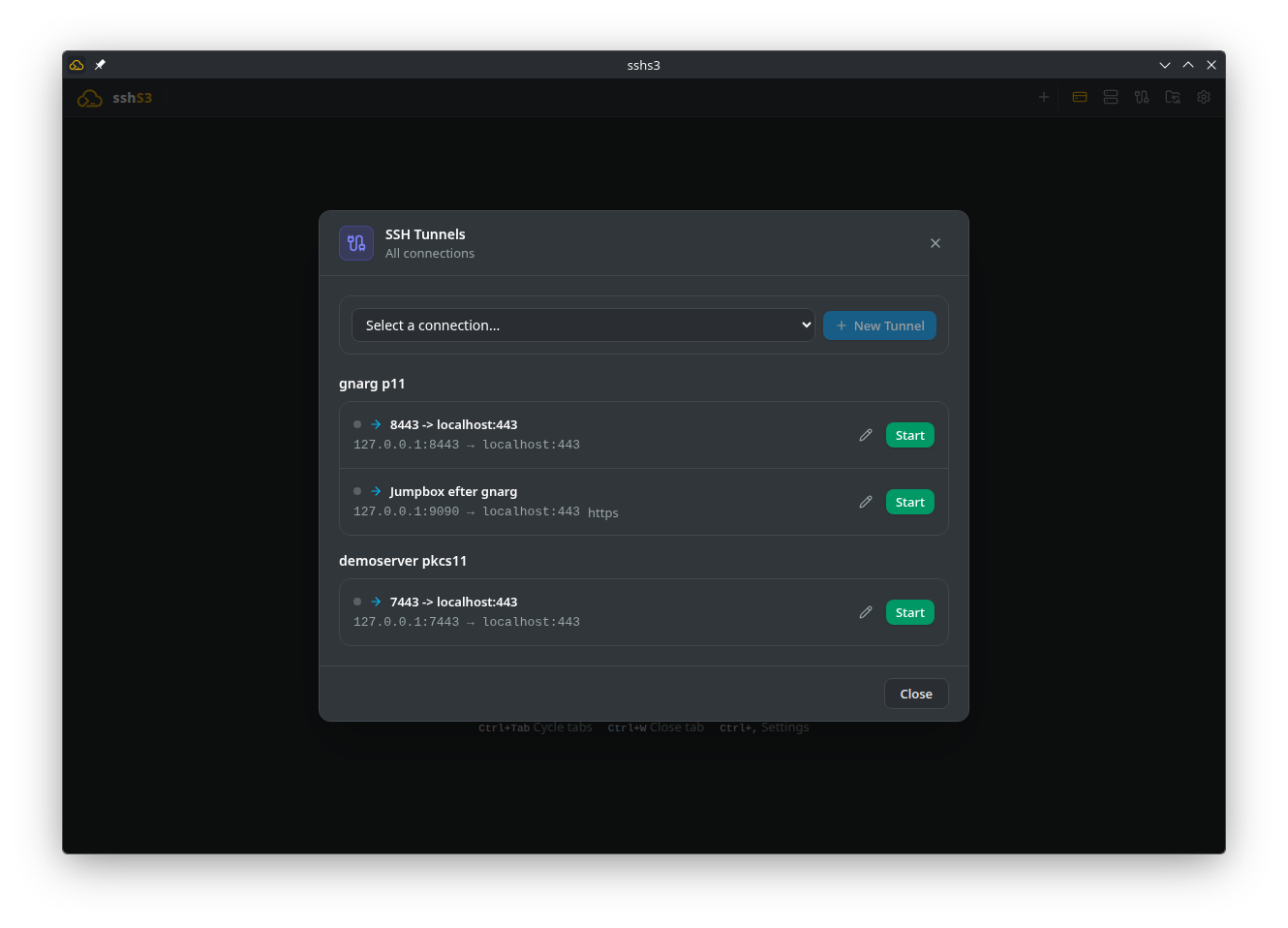
1. Bastions & Jump Hosts: ProxyJump vs Standalone Tunnels
In sshs3, you can choose between two complementary patterns to navigate through protected servers behind firewalls:
| Feature / Property | Integrated ProxyJump (-J) | Standalone SSH Tunnels Dashboard |
|---|---|---|
| Best Used For | Direct SSH terminal sessions and SFTP file management. | External desktop clients (DBeaver, Postman, web browsers). |
| Security Architecture | End-to-end encrypted; bastion forwards TCP bytes without inspecting keys. | Encrypted local port forwarding over OpenSSH background daemon. |
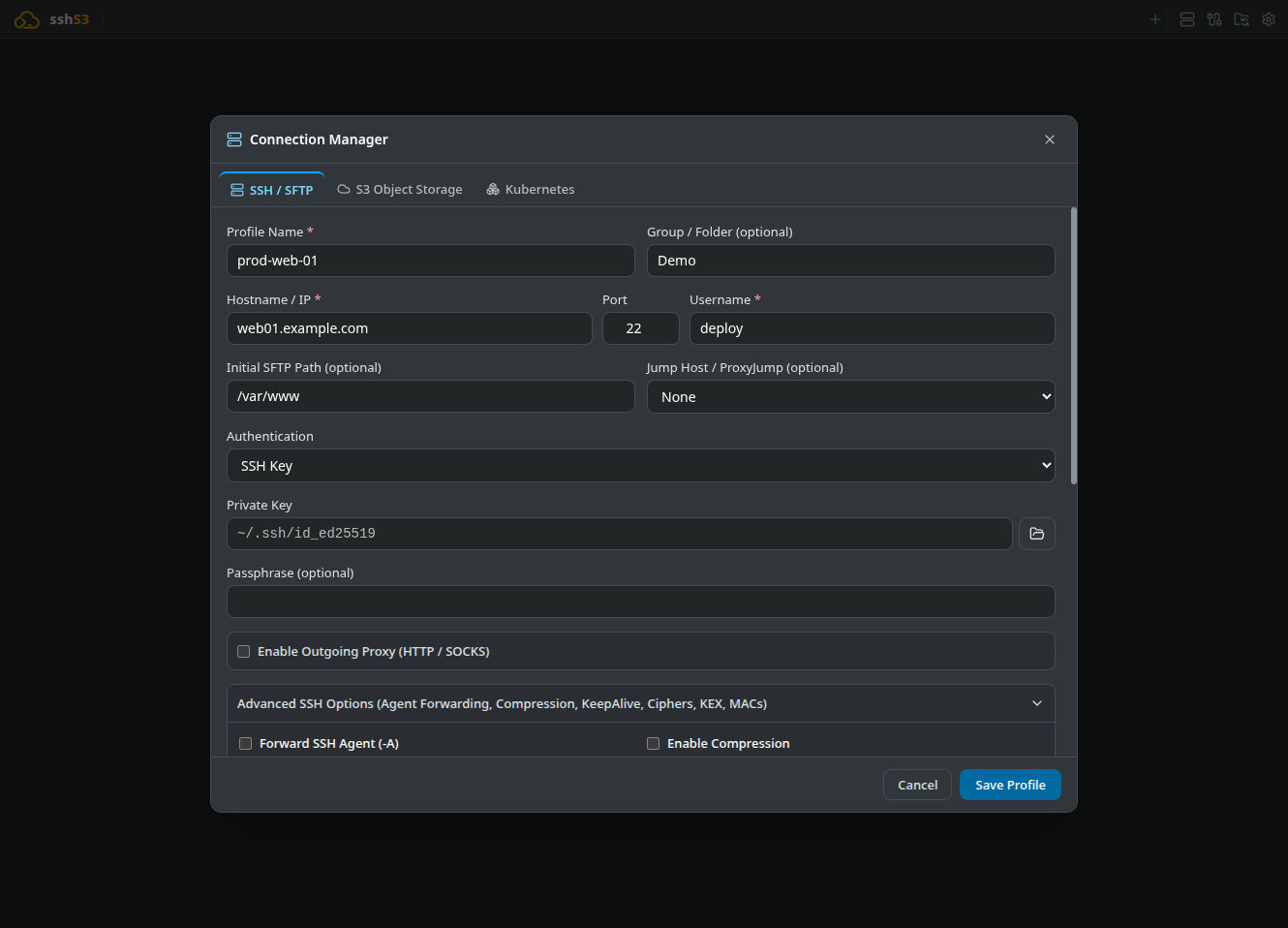
| Configuration | Set in the SSH profile under Jump Host / ProxyJump (optional): pick an existing SSH profile, or enter a user@host[:port] bastion manually. | Configured via the SSH Tunnels button in the top navigation bar. |
| Multi-Hop Chaining | Supports multiple bastions (bastion1,bastion2). | Can forward through an already jumped bastion. |
2. Port Forwarding: Local, Remote & Dynamic SOCKS5
Manage persistent background port forwards with automated reconnection and health monitoring:
1. Local Port Forwarding (-L)
- Use Case: Forward a local port on your workstation to a private remote database or API behind a firewall.
- Example:
Local Port: 5432→Remote Host: prod-db.internal→Remote Port: 5432. - Result: Open your local database tool (DBeaver/psql) and connect directly to
localhost:5432.
2. Remote Port Forwarding (-R)
- Use Case: Expose a local web service running on your workstation to a remote server or staging environment.
- Example:
Remote Port: 8080→Local Host: localhost→Local Port: 3000.
3. Dynamic Port Forwarding (SOCKS5 Proxy -D)
- Use Case: Turn any remote SSH server into an encrypted SOCKS5 proxy (e.g.
127.0.0.1:1080). - How to Use: Route browser or CLI network traffic through the proxy:
curl --socks5-hostname 127.0.0.1:1080 http://internal-dashboard.corpAll DNS resolutions and HTTP requests route securely through the remote SSH server.
Good to know
- Local forwarding fails if the local port is already bound by another application.
- Remote forwarding needs
GatewayPorts yesin the server's/etc/ssh/sshd_configif the forwarded port must be reachable from third-party hosts.
Technical Architecture: Background Daemon & Health Monitoring
Tunnels execute as background processes managed by SSHTunnelManager (src/main/services/SSHTunnelManager.ts). Each tunnel process features health monitoring and automated reconnect logic with exponential backoff if the network connection drops or the server reboots.
3. Graphical X11 Forwarding & Bundled VcXsrv (Windows)
With X11 forwarding, you can run Linux GUI tools on a remote server and render their windows seamlessly on your local workstation desktop:
- In any SSH profile, open Advanced SSH Options and tick Forward X11 GUI (-Y).
- Connect to the host.
- Launch an X11 application in the terminal (e.g.
wireshark &,xclock &). - On Windows: sshs3 bundles a self-contained, portable build of VcXsrv. It launches automatically in rootless multi-window mode (
:0 -multiwindow -clipboard -wgl), allowing Linux GUI windows to integrate natively with the Windows taskbar and Alt+Tab switcher.
Good to know
- The remote server needs
xauthinstalled andX11Forwarding yesin/etc/ssh/sshd_config. - X11 traffic is sensitive to network latency and works best on LAN or fiber links.
Security Model: MIT-MAGIC-COOKIE Authorization
Uses OpenSSH trusted forwarding (-Y). On Windows, access control is strictly preserved (-ac flag is omitted): only local connections presenting the cryptographic MIT-MAGIC-COOKIE negotiated by OpenSSH are accepted, preventing unauthorized LAN devices from hijacking your forwarded windows.
4. Troubleshooting & Diagnostics
| Symptom / Error | Probable Root Cause | Corrective Action |
|---|---|---|
bind [127.0.0.1]:5432: Address already in use | Local port is occupied by another process | Select a different local port (e.g. 5433) or terminate conflicting process. |
channel 1: open failed: connect failed | Target host or port behind bastion is unreachable | Verify target reachability from the bastion (ssh bastion "nc -zv target port"). |
Error: Can't open display: localhost:10.0 | xauth is missing on the remote host | Install xauth: sudo apt install xauth or sudo dnf install xorg-x11-xauth. |
| SOCKS5 proxy fails in browser | DNS queries not routing through proxy | In browser network settings, ensure Proxy DNS when using SOCKS v5 is checked. |